Do you know all these logic gates? This short guide lists the most common logic gates, shows what each does, and helps you recognize symbols and behaviors.
Try spotting these symbols on gadgets or circuit boards next time you see tech — they’re everywhere. ✨
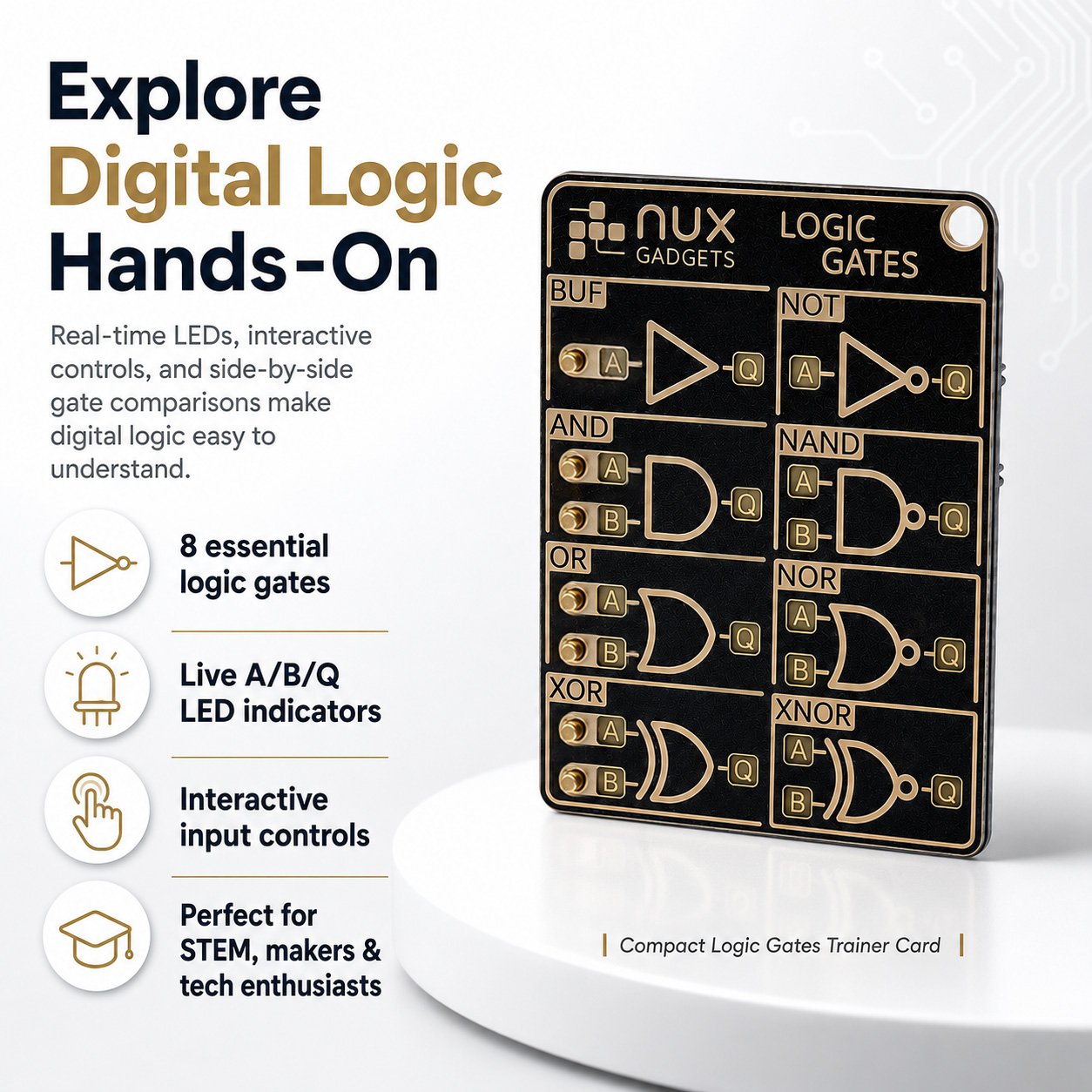
Explore Digital Logic With Real-Time LEDs, Interactive Controls & Hands-On Experiments
Discover how digital logic works by actually interacting with it. This compact Logic Gates Trainer Card lets you control input signals, watch outputs change in real time, and compare different logic gates side by side.
Designed for students, electronics enthusiasts, makers, STEM learners, and curious tech lovers, it turns abstract logic-gate concepts into something you can see, press, and experiment with.
🔬 Learn Logic Gates By Doing, Not Just Reading
Digital logic can be difficult to understand when it only exists in diagrams and textbooks.
This interactive trainer brings the essential logic gates to life with illuminated inputs and outputs, allowing you to change signal states and immediately see what happens.
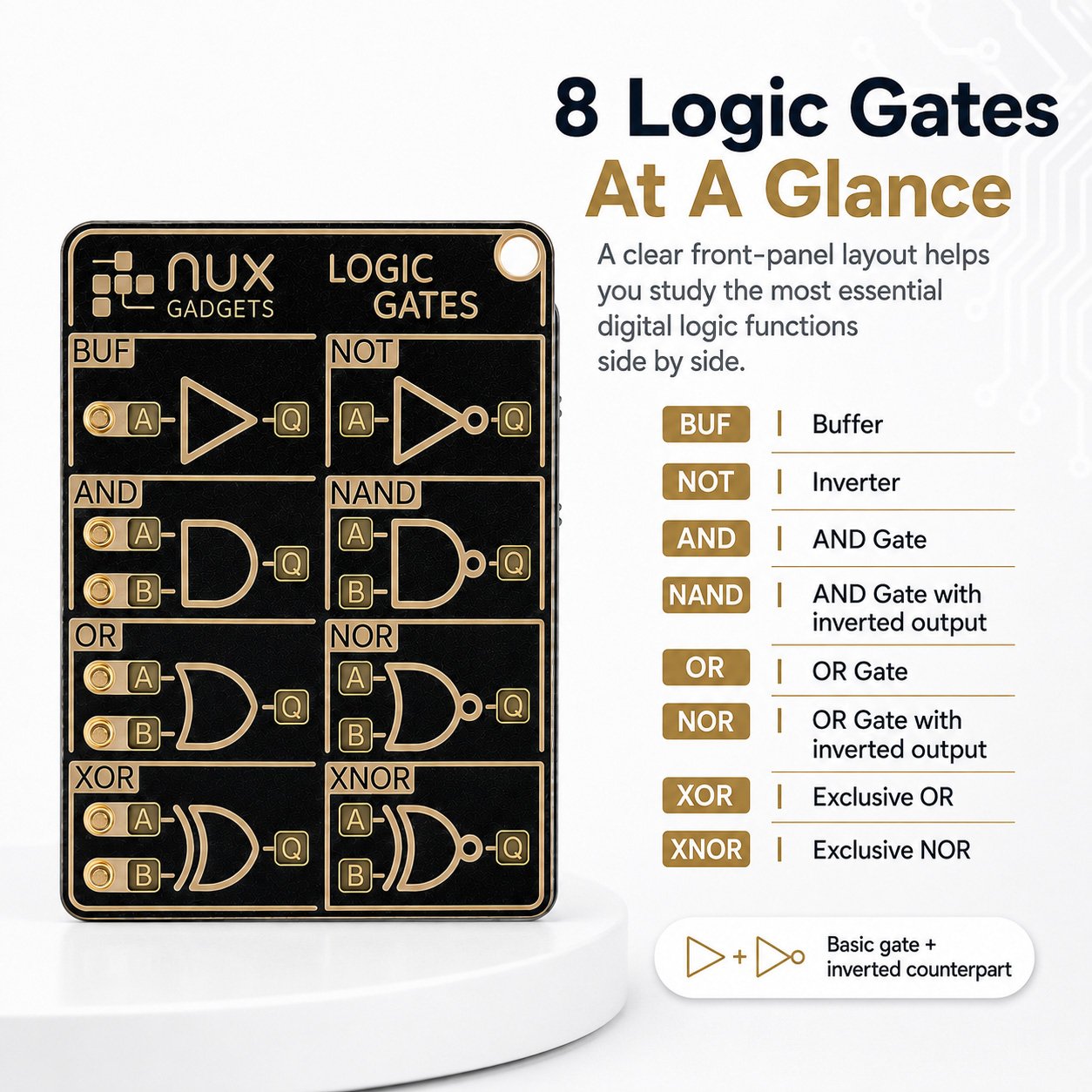
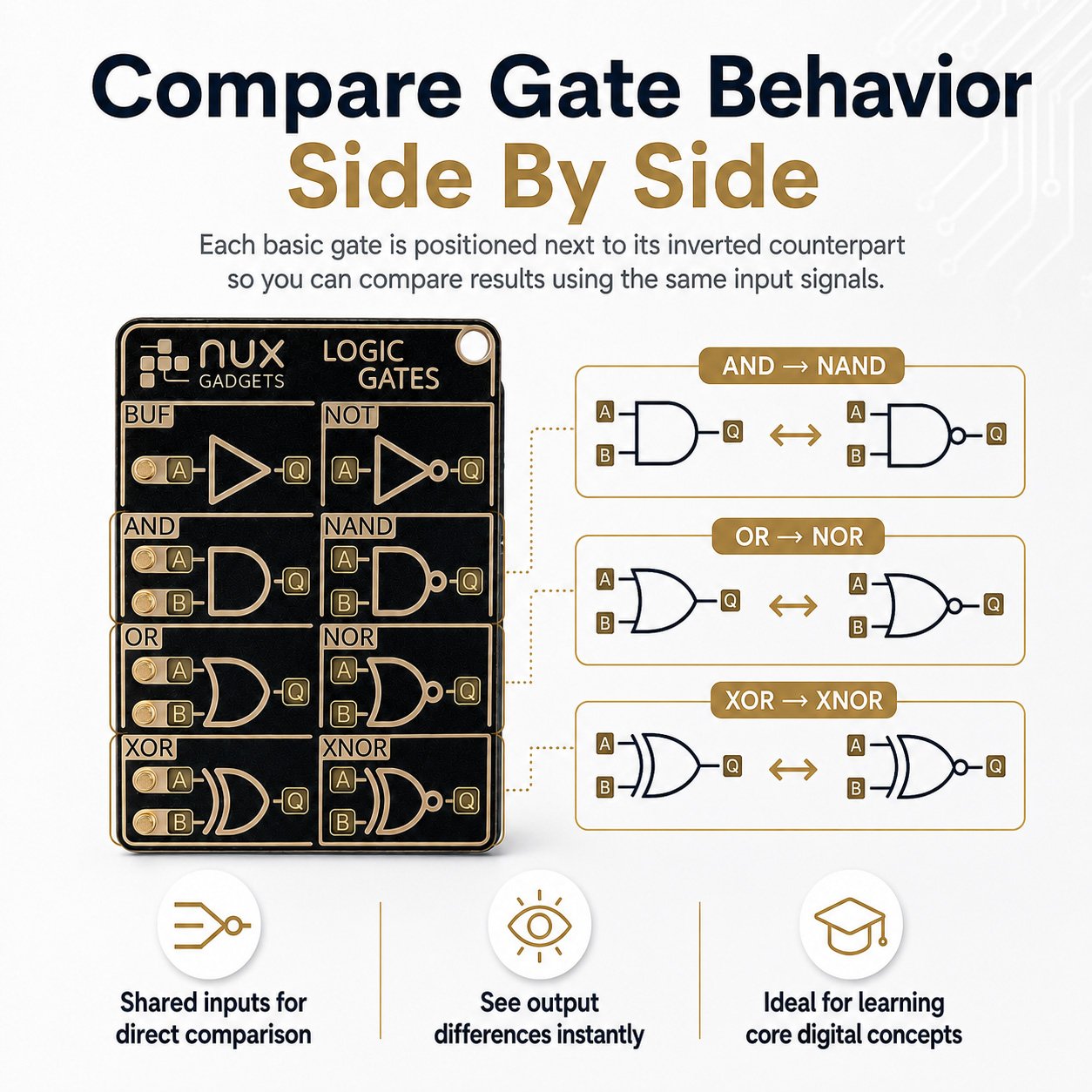
The front panel presents 8 fundamental logic gates in a clear, easy-to-follow circuit layout:
- BUF — Buffer
- NOT — Inverter
- AND — AND Gate
- NAND — NAND Gate
- OR — OR Gate
- NOR — NOR Gate
- XOR — Exclusive OR
- XNOR — Exclusive NOR
Each row places a basic gate alongside its inverted counterpart, making it easy to compare their behavior using the same input signals.
💡 See Every Signal In Real Time
No need to imagine what is happening inside the circuit.
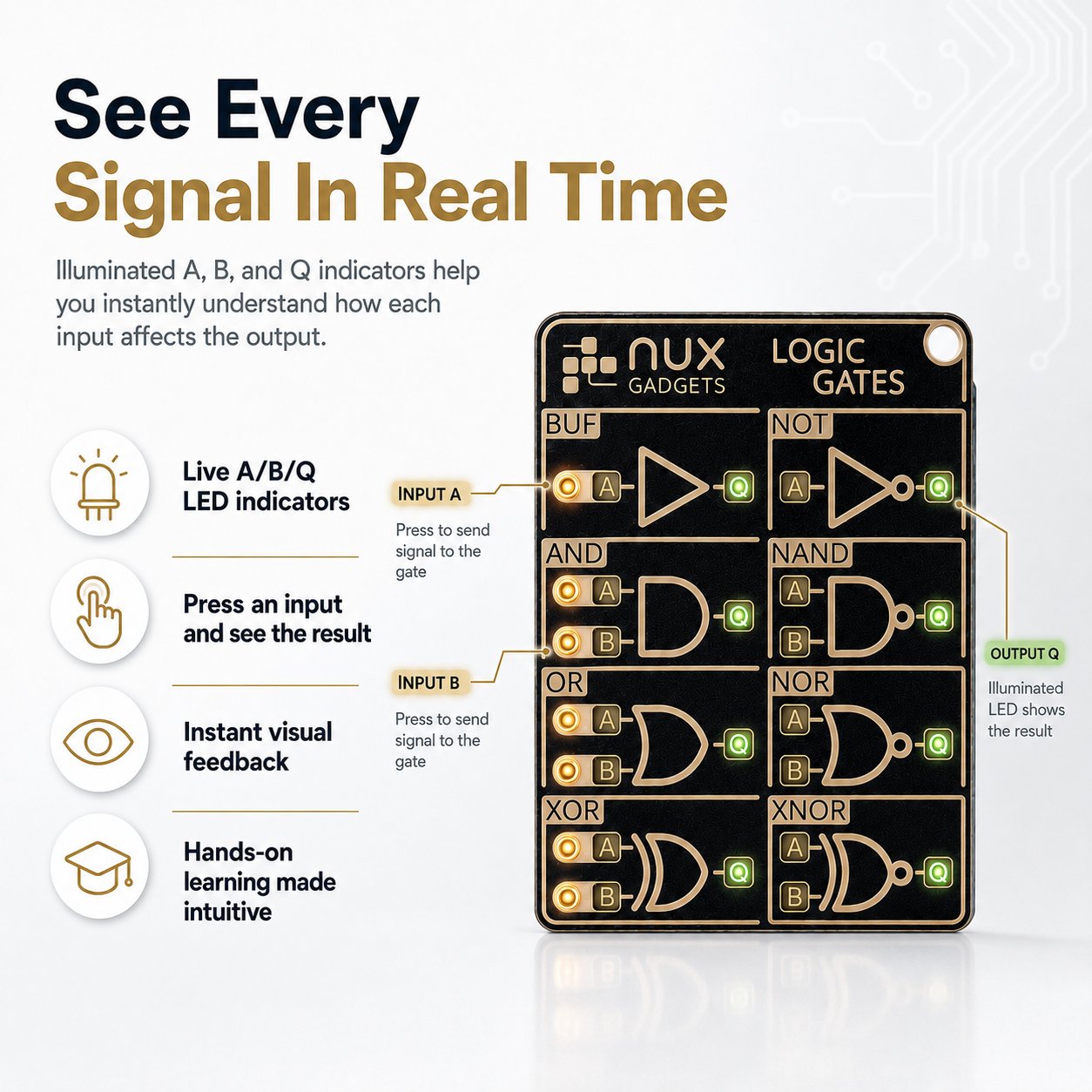
The illuminated A, B, and Q indicators show the current signal states directly on the board.
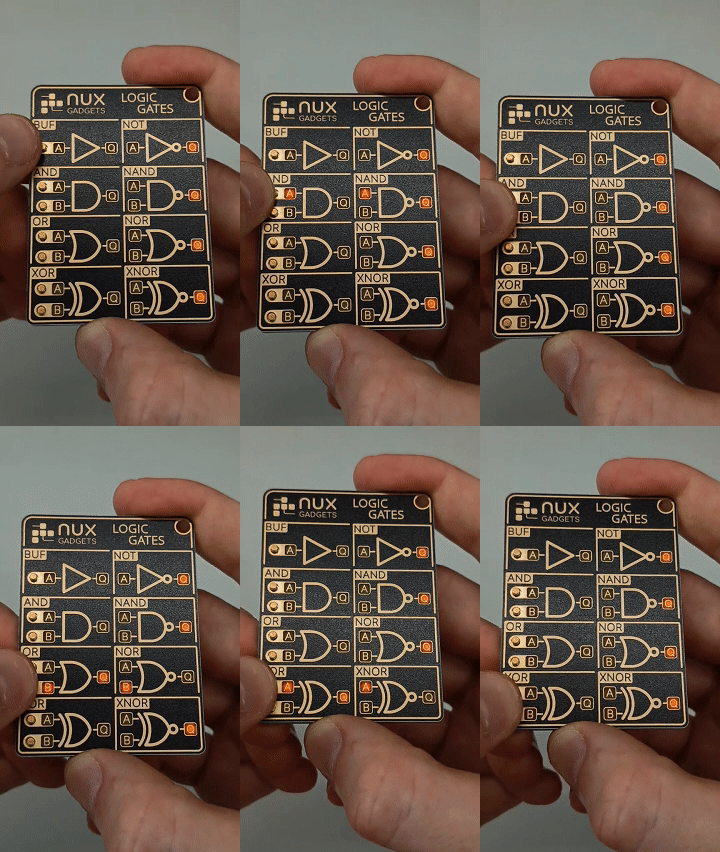
Press the tactile input buttons and watch the corresponding outputs change instantly.
⚡ Interactive Live Display
Control the two inputs for each gate using the built-in tactile buttons.
The illuminated LEDs make the current logic state immediately visible, giving you a hands-on way to explore how different combinations produce different outputs.
Press → Change the input → Watch the output.
It's a simple and intuitive way to understand digital logic.
🎛️ Choose How You Want To Experiment
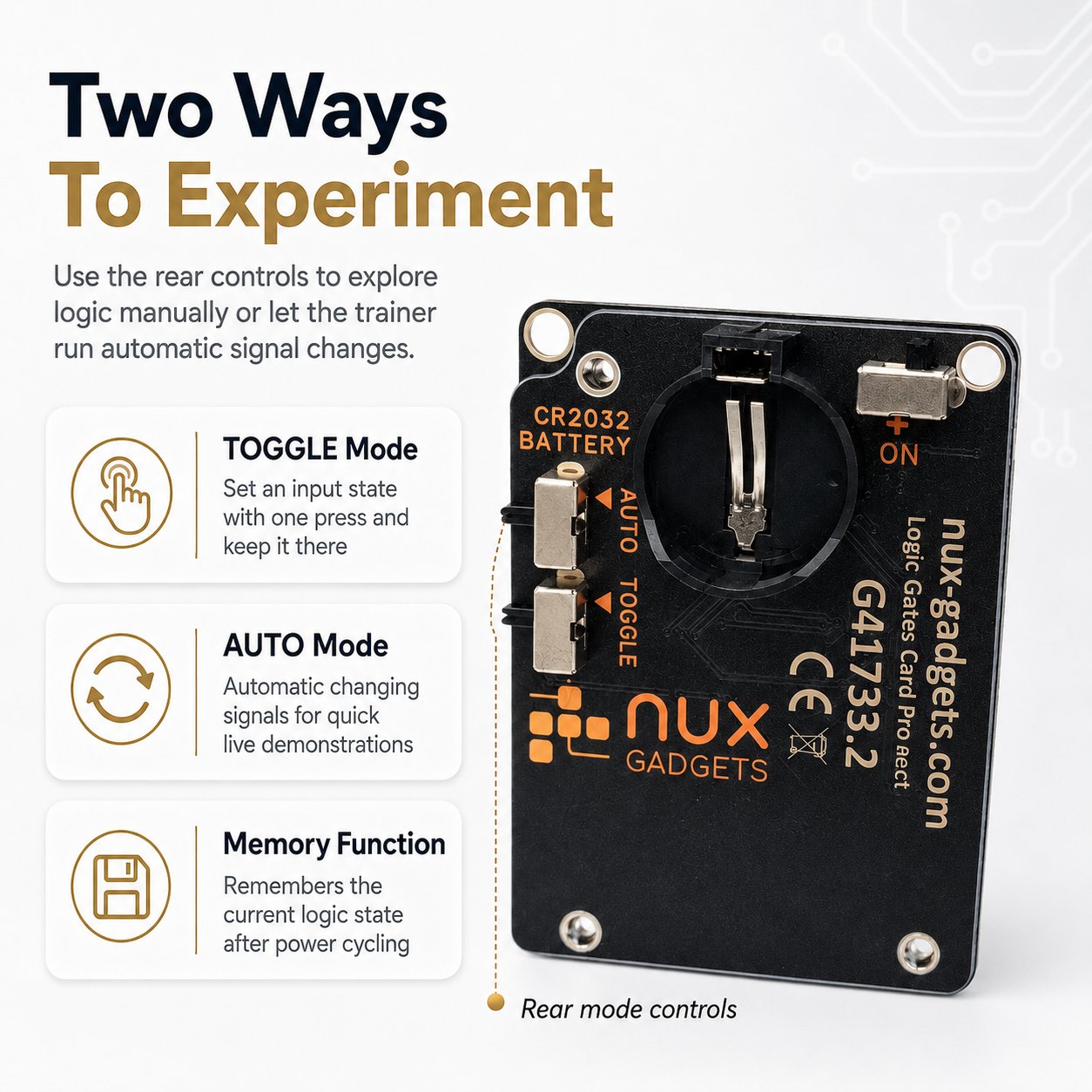
The rear switch lets you choose between different operating modes depending on how you want to explore the circuits.
🔘 TOGGLE Mode
Set an input state with a single press and keep it there.
This makes it easy to work through different combinations of A and B without continuously holding the buttons.
Perfect for systematically exploring how each logic gate responds.
🎲 AUTO Mode
Let the trainer automatically change input states.
The random signal changes create a dynamic demonstration of the different gate functions without requiring manual input.
Great for quick demonstrations, visual learning, or simply watching the logic come to life.
🧩 Compare Logic Gates Side By Side
One of the most useful features of the trainer is the way the gates are arranged.
The basic gate and its inverted version share the same input signals, allowing you to observe their output differences directly.
For example:
AND → NAND
OR → NOR
XOR → XNOR
Instead of switching between separate diagrams, you can see the relationships right on the board.
This makes the trainer especially useful when learning the fundamental concepts behind digital circuits.
💾 Built-In Memory Function
The trainer also remembers the current logic states.
Your selected logic states are stored and remain available even after switching the device off and back on.
That means you can return to your previous experiment without starting completely over.
🛠️ More Than A Learning Tool
With its PCB-inspired construction, gold-plated ENIG surface, illuminated indicators, and tactile controls, the trainer has the look and feel of a modern piece of electronics hardware.
It's equally at home on:
🎓 A student's desk
🔧 A maker's workbench
💻 A computer science workspace
⚡ An electronics hobbyist's collection
🧠 A STEM learning environment
🖥️ A tech enthusiast's desk setup
It isn't just something to read about logic gates.
It's something you can actually interact with.
🎁 Perfect For
🎓 Students & STEM Learners
A hands-on way to explore fundamental digital logic concepts beyond textbooks and diagrams.
🔧 Electronics Hobbyists
A compact interactive gadget for experimenting with basic logic behavior.
💻 Computer & Engineering Enthusiasts
A visual tool for exploring the fundamental building blocks behind digital systems.
🧠 Curious Minds
Sometimes the best way to understand technology is simply to press a button and see what happens.
🎁 Tech Gift Seekers
A unique gift for anyone who enjoys electronics, engineering, computers, STEM, or interactive gadgets.

📐 Product Specifications
| Feature | Details |
| Product Type | Interactive Logic Gates Trainer Card |
| Logic Gates | BUF, NOT, AND, NAND, OR, NOR, XOR, XNOR |
| Inputs | A & B |
| Outputs | Q |
| Display | Illuminated LED indicators |
| Controls | Tactile input buttons |
| Operating Modes | TOGGLE / AUTO |
| Memory | Logic states retained after power cycling |
| Surface | PCB-style design with ENIG gold-plated finish |
❓ Frequently Asked Questions
What logic gates are included?
The trainer includes eight commonly used logic gates:
BUF, NOT, AND, NAND, OR, NOR, XOR, and XNOR.
How do the input buttons work?
Each gate row has A and B inputs controlled by tactile buttons. The corresponding LEDs show the current input and output states.
What is TOGGLE Mode?
TOGGLE Mode allows you to set an input state with a button press and keep that state active, making it easier to test different input combinations.
What does AUTO Mode do?
AUTO Mode automatically changes the input states, allowing you to observe the behavior of the logic gates dynamically without manually changing each input.
Can I compare different logic gates?
Yes. The basic gate and its inverted counterpart share the same input signals, allowing you to observe their output states side by side.
Does the trainer remember my settings?
Yes. The built-in memory function stores the logic states so they can remain displayed even after the device is switched off and back on.
⚡ Turn Logic Into Something You Can See
Digital logic doesn't have to stay inside a textbook.
Press the buttons. Watch the LEDs. Change the inputs. Discover the outputs.
Whether you're learning the fundamentals of electronics or simply love interactive tech gadgets, the Logic Gates Trainer Card Pro gives you a hands-on way to explore the logic behind modern digital systems.
Why Shop With Us
Quality products, fair prices, and support that actually cares.
Curated suppliers + in-house QC for consistent quality.
No middlemen. Just great value on every order.
Real people, real help. We reply within 2–12h (Mon–Sun).
Hundreds of 5-star reviews on quality and service.
🚚 Shipping & Tracking
- Worldwide shipping with insured parcels.
- Tracking number is emailed as soon as your order ships.
- You may receive your items earlier depending on the route and carrier.

Heads-up: holidays, customs, or weather may impact delivery timelines.
🔒 100% Risk-Free Purchase
If your item arrives damaged or not as described, just contact us for a replacement or refund—simple and hassle-free.
🏢 Our Warehouse & Processing
Please allow for processing time and consider holidays or unforeseen events that may affect shipping.
🎁 Free Shipping Threshold
Enjoy FREE standard shipping on orders $40